
How to Create a QR Code for a Restaurant Menu: The Effortless, Foolproof Guide
Create a professional QR code menu for your restaurant with Happy Menu. Build a mobile-friendly online menu, generate printable QR codes, update prices anytime, and use the same menu for ordering, loyalty, feedback, print menus, and digital menu boards.
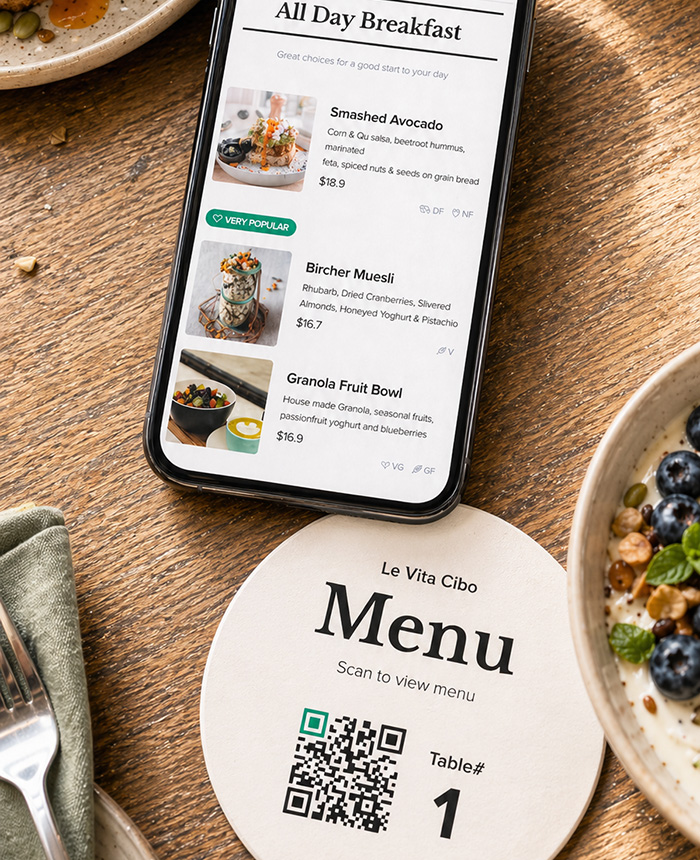
Creating a QR code for your restaurant menu should not be complicated. You should not need design software, a developer, a confusing QR code generator, or a folder full of PDF files that become outdated every time you change a price.
With Happy Menu, you can create a professional online menu, generate QR codes for your tables, print menu cards, update your menu anytime, and even use the same menu for online ordering, loyalty, customer feedback, and digital menu boards.
This guide explains the easiest way to create a QR code menu for your restaurant, what to avoid, where to place your QR codes, and why a proper digital menu is much better than linking customers to a static PDF.
Further reading – Why Restaurants Lose Customers When the Menu Is Missing Online
Further reading – How to Do QR Menus Without Annoying Customers
What Is a QR Code Menu?
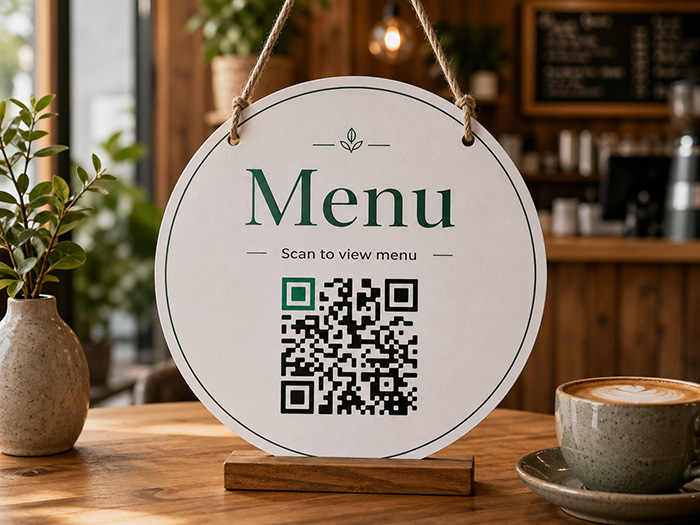
A QR code menu is a restaurant menu that customers open by scanning a QR code with their phone. The QR code usually appears on a table card, table sticker, counter sign, window sign, printed menu, receipt, flyer, or takeaway bag.
When the customer scans the code, their phone opens your menu. The best QR code menus are not just PDF files. They are mobile-friendly online menus that are easy to read, easy to update, and built for the way customers actually browse food and drinks on their phones.
A good restaurant QR menu should let customers quickly view categories, read item descriptions, check prices, see dietary options, and decide what to order without pinching, zooming, or scrolling through a hard-to-read PDF.
The Foolproof Way to Create a QR Code Menu
The easiest way to create a restaurant QR code menu is to use a dedicated restaurant menu platform like Happy Menu.
Instead of creating a PDF, uploading it somewhere, generating a separate QR code, and repeating the process every time your menu changes, Happy Menu gives you one central place to manage everything.
- Create your online menu.
- Add categories, items, descriptions, prices, images, and dietary information.
- Generate QR codes for your tables and signs.
- Print your QR code menus or download files for professional printing.
- Update your menu anytime from your dashboard.
- Use the same menu for online ordering, digital menu boards, loyalty, and customer feedback.
The result is simple: your customers scan, your menu opens, and your restaurant can keep everything updated without constantly reprinting or redesigning menus.
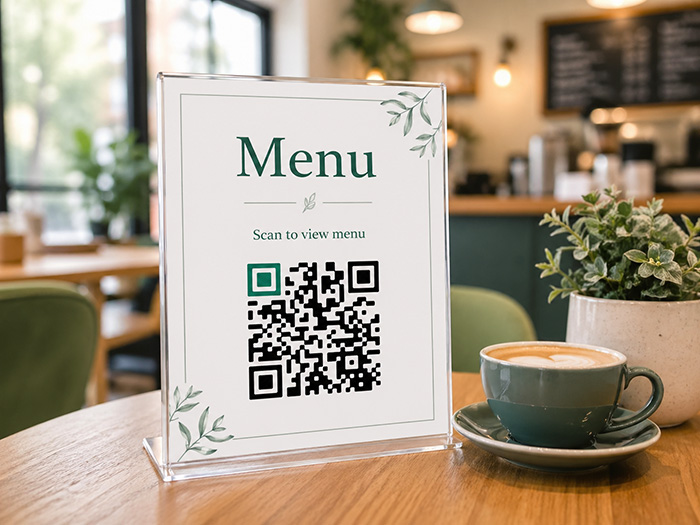
How to Create a QR Code Menu With Happy Menu
Here is the simple step-by-step process.
Step 1: Sign Up for Happy Menu
Start by creating your Happy Menu account. Happy Menu is built for restaurants, bars, cafes, food trucks, and other food businesses that need a professional menu without the cost or complexity of a custom website.
Once your account is created, you can begin setting up your restaurant profile and menu from the dashboard.
Step 2: Add Your Restaurant Details
Add your restaurant name, address, phone number, business hours, social links, reservation link, and other important details. This gives customers more than just a menu. It gives them the key information they need to visit, order, call, book, or find your restaurant.
This is one of the big advantages of using Happy Menu instead of a basic QR code generator. Your QR menu can become a useful online menu page for your restaurant, not just a file hidden behind a code.
Step 3: Create Your Menu Categories
Next, create your menu categories. These are the sections customers will use to browse your menu.
Common restaurant menu categories include:
- Breakfast
- Lunch
- Dinner
- Starters
- Mains
- Burgers
- Pizza
- Pasta
- Desserts
- Cocktails
- Wine
- Beer
- Coffee
- Kids menu
- Specials
Clear categories make your QR code menu easier to use. Customers should be able to scan the code, open the menu, and quickly jump to the section they care about.
Step 4: Add Your Menu Items
After creating your categories, add your menu items. A strong digital menu should include more than just item names and prices.
For each item, you can add details such as:
- Item name
- Description
- Price
- Image
- Extras and add-ons
- Dietary labels
- Availability
This helps customers make decisions faster. A customer who can clearly see what is in a dish, what it costs, and whether it suits their dietary needs is more likely to order confidently.
Step 5: Add Dietary Information
Many customers look for dietary information before ordering. Happy Menu can help you display useful dietary labels such as vegan, vegetarian, gluten-free, dairy-free, and nut-free options.
This is especially helpful for large menus. Instead of forcing customers to read every item or ask staff about every dish, a digital menu can make dietary information easier to find.
Step 6: Customize Your Menu
Your QR code menu should feel like part of your restaurant, not a generic template. Happy Menu lets you create a clean, mobile-friendly menu that customers can actually enjoy using.
You can customize your menu so it suits your business, your food, and the way your customers order. Whether you run a cafe, bar, casual restaurant, fine dining venue, pizza shop, food truck, or takeaway business, your digital menu should be clear, fast, and easy to browse.
Step 7: Generate Your QR Code
Once your menu is ready, Happy Menu creates your QR code. This QR code links customers directly to your online menu.
The best part is that you do not need to create a new QR code every time you update a menu item. Your QR code can stay the same while your menu content changes behind the scenes.
That means you can update prices, add specials, remove sold-out items, change descriptions, or improve your menu without replacing every QR code in your restaurant.
Step 8: Print Your QR Code
After your QR code is generated, you can print it and place it around your restaurant.
Happy Menu makes this easier by giving you print-ready QR code options. You can create table cards, table signs, window signs, counter cards, or files that can be sent to a professional printer.
You can print your QR codes yourself, use a local print shop, or include the QR code on your existing printed menus and marketing materials.
Step 9: Test the QR Code Before Service
Before placing QR codes on every table, test them properly.
- Scan the QR code with an iPhone.
- Scan the QR code with an Android phone.
- Check that the menu opens quickly.
- Make sure the page is easy to read.
- Check that prices and descriptions are correct.
- Test the QR code under the lighting conditions in your restaurant.
- Ask staff to scan it from a normal seated position.
A QR code menu should feel effortless for customers. If staff need to explain it constantly, the setup needs improving.
Free 14 Day Trial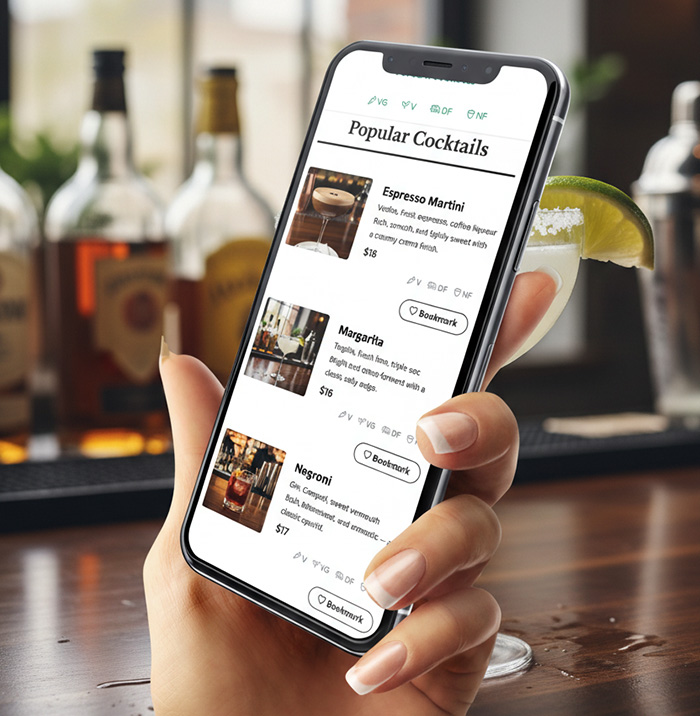
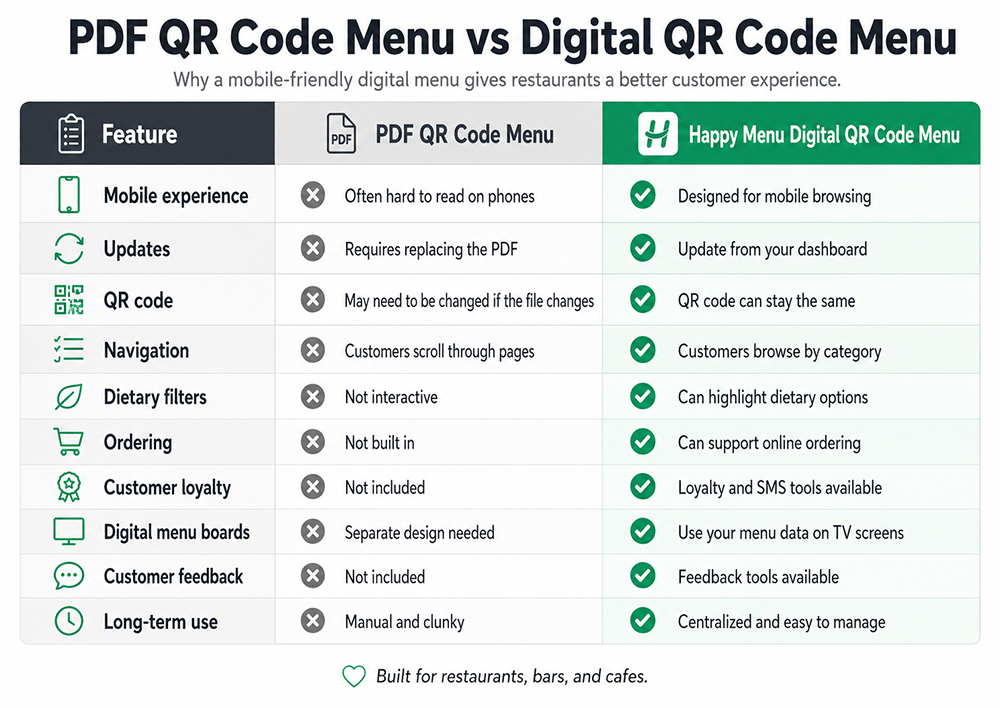
PDF QR Code Menu vs Digital QR Code Menu
One of the biggest mistakes restaurants make is linking their QR code to a PDF menu. A PDF might seem simple, but it often creates a poor phone experience.
Customers may need to pinch, zoom, rotate their phone, or scroll through tiny text. If the PDF is large, it may load slowly. If the menu changes, the restaurant has to create and upload a new PDF.
A proper digital QR code menu is different. It is designed as a mobile-friendly webpage, so customers can browse categories, tap items, read descriptions, view dietary information, and find what they want faster.
Where Should Restaurants Put QR Codes?
Your QR code should be easy to see, easy to scan, and placed where customers naturally need the menu.
Good QR code placement options include:
- Table tents
- Table stickers
- Counter signs
- Window signs
- Printed menus
- Receipts
- Takeout bags
- Food packaging
- Flyers
- Business cards
- Social media graphics
- Email signatures
- Posters near the entrance
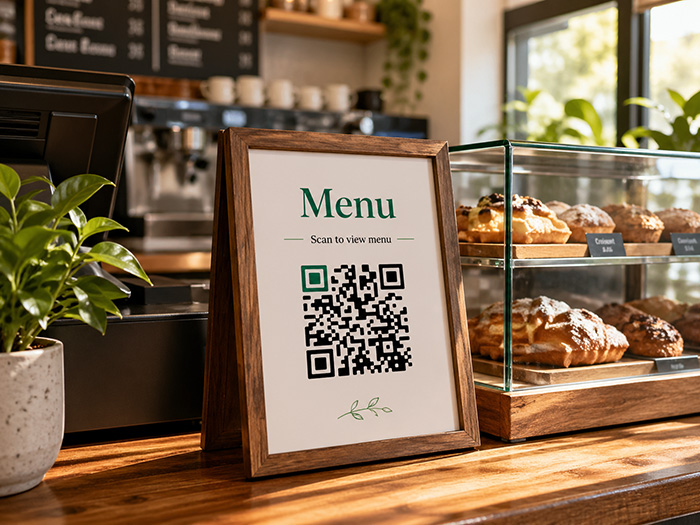
For dine-in restaurants, table tents or table stickers are usually the most useful. For cafes and counter-service restaurants, a counter sign near the register can work well. For takeout restaurants, QR codes on bags, receipts, and packaging can encourage repeat orders.
QR Code Menu Best Practices
A QR code menu is only useful if customers can scan it easily and enjoy using the menu after it opens.
Use a Large Enough QR Code
Do not make the QR code tiny. It should be large enough for customers to scan without leaning awkwardly over the table or asking staff for help.
Add a Clear Call to Action
Do not place a QR code by itself with no explanation. Add simple text such as “Scan to view menu,” “Scan for today’s menu,” or “Scan to order.”
Keep the Design Clean
Your QR code should have enough contrast to scan properly. Avoid placing it over busy images or low-contrast backgrounds.
Test It in Real Lighting
Restaurants can be dark, bright, reflective, or unevenly lit. Test your QR code where it will actually be used.
Keep Printed Menus Available
QR code menus are useful, but they should not annoy customers. Some guests prefer paper menus, some phones may be low on battery, and some people simply do not want to scan a code.
The best approach for many restaurants is to use QR code menus alongside printed menus. Happy Menu supports this hybrid approach by helping restaurants create online menus, QR codes, and printable menu options.
Create QR Menu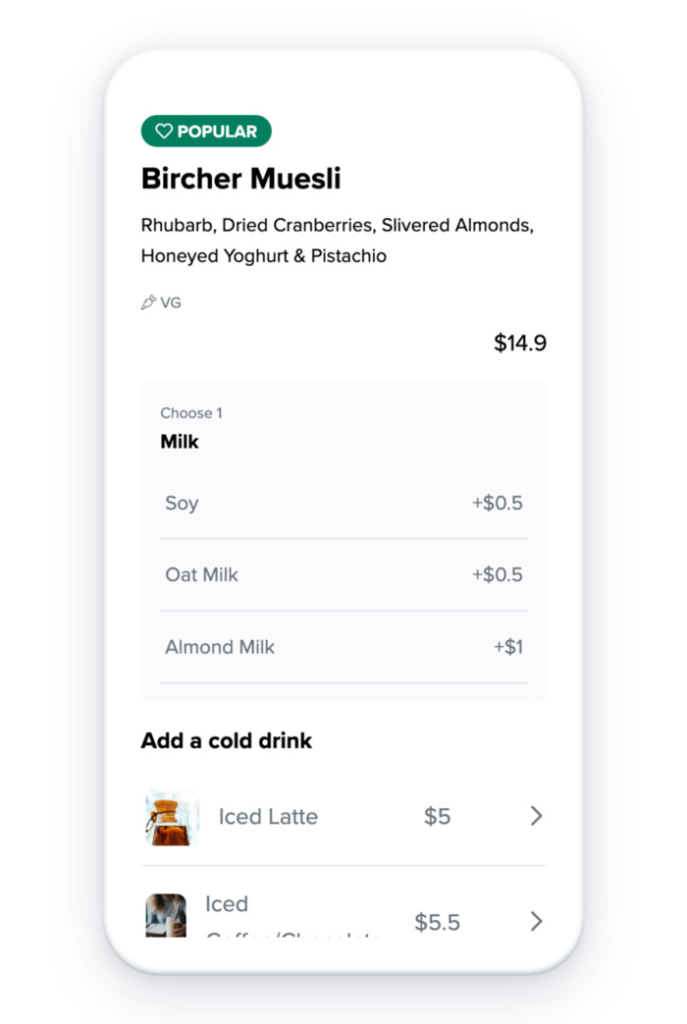
Common QR Code Menu Mistakes
A QR code menu can improve the customer experience, but only if it is set up properly. Avoid these common mistakes.
Mistake 1: Linking to a Hard-to-Read PDF
A PDF may look good on a computer, but it can be frustrating on a phone. Customers should not need to pinch and zoom just to read your menu.
Mistake 2: Forgetting to Update Prices
Outdated prices create confusion for staff and customers. A digital menu makes it easier to keep prices accurate.
Mistake 3: Making the Menu Too Crowded
A QR menu should be easy to scan visually. Use clear categories, short descriptions where possible, and avoid overwhelming customers with too much information at once.
Mistake 4: Hiding Important Information
Customers should be able to quickly find prices, dietary information, opening hours, contact details, location, and ordering options.
Mistake 5: Using a Generic QR Code Generator
A generic QR code generator creates a code, but it does not manage your menu. Restaurants need more than a QR code. They need a menu system that is easy to update, easy to browse, and useful for customers.
Why Use Happy Menu Instead of a Basic QR Code Generator?
A basic QR code generator only creates a code. Happy Menu helps you create the menu, manage the menu, display the menu, print the QR code, and turn your menu into a useful tool for your restaurant.
Happy Menu is built specifically for food businesses, which means the features are designed around real restaurant needs.
- Mobile-friendly online menu
- QR codes for tables and signs
- Printable QR code materials
- Menu categories and item management
- Item descriptions, prices, photos, and extras
- Dietary labels and filters
- Online ordering options
- Stripe payment support for online orders
- Customer loyalty tools
- SMS marketing tools
- Customer feedback tools
- Digital menu board functionality
- Business details, hours, address, map, phone, social links, and reservation link
- Fast updates without reprinting QR codes
- Simple pricing for small restaurants
That means your QR menu can do more than replace a paper menu. It can help customers choose what to eat, place orders, come back again, and stay connected with your restaurant.
Use the Same Menu for QR Codes, Online Ordering, and Digital Menu Boards
One of the biggest advantages of Happy Menu is that your menu can be used in more than one place.
You can use the same menu for:
- QR code table menus
- Your online menu page
- Takeout and direct ordering
- Customer loyalty
- SMS marketing
- Customer feedback
- Printable menus
- TV digital menu boards
This saves time because you are not managing separate menu files for every use case. Update your Happy Menu once, and your restaurant can keep its menu consistent across multiple customer touchpoints.
Free Trial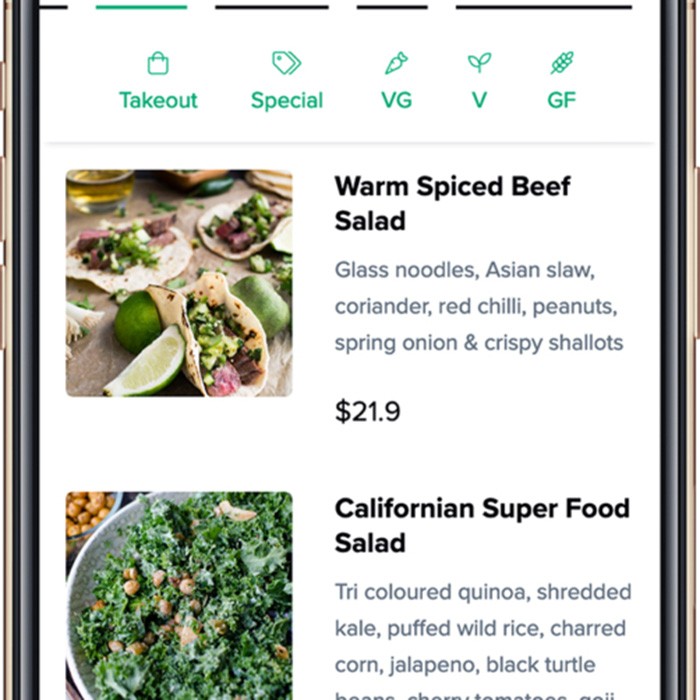
Can Customers Order From a QR Code Menu?
Yes. With Happy Menu, you can use your QR code menu for browsing only, or you can turn on ordering if you want customers to order from the menu.
Some restaurants use QR menus so customers can view the menu while staff still take the order. Other restaurants use QR ordering so customers can add items to their cart, check out, and pay online.
This gives your restaurant flexibility. You can choose the workflow that suits your venue, service style, staff, and customers.
How QR Code Menus Help Restaurants Save Time
Restaurant menus change constantly. Prices change, items sell out, specials come and go, suppliers change, and seasonal dishes rotate.
With a printed-only menu, every change can mean editing a file, sending it to a printer, waiting for delivery, and replacing old menus. With a PDF QR menu, every change can mean uploading a new PDF and making sure the correct file is linked.
With Happy Menu, updates are handled from your dashboard. This makes it much easier to keep your menu accurate without wasting time, ink, paper, or money.
How QR Code Menus Help Customers
A well-designed QR code menu can also improve the customer experience.
- Customers can open the menu instantly on their phone.
- They can browse categories instead of waiting for a paper menu.
- They can check item descriptions and prices clearly.
- They can find dietary options more easily.
- They can view the menu before arriving at the restaurant.
- They can share the menu link with friends.
- They can order directly if ordering is enabled.
The key is to make the experience easy. Customers should not feel like they are being forced into clunky technology. They should feel like the menu is fast, useful, and simple.
How to Scan a Restaurant QR Code Menu
Most modern smartphones can scan QR codes using the regular camera app.
- Open the phone camera.
- Point the camera at the QR code.
- Tap the notification or link that appears.
- The restaurant menu opens in the browser.
Customers should not need to download an app to view your Happy Menu QR code menu. It opens in the browser, making it simple for guests to access.
Create MenuA QR Code Menu Should Be Part of Your Restaurant Growth System
A QR code menu is not just about replacing paper. It can become part of a larger system for helping your restaurant get found, show the right menu, win direct orders, and bring customers back.
Happy Menu gives restaurants a practical way to manage their menu online and connect that menu to the tools that matter most: QR codes, print menus, online ordering, loyalty, SMS marketing, customer feedback, and digital menu boards.
For restaurants that want a simple, affordable, and professional setup, Happy Menu is a much better option than stitching together PDF files, generic QR generators, and separate ordering tools.
FAQ
How do I create a QR code for my restaurant menu?
The easiest way is to use Happy Menu. Create your online menu, add your categories and items, generate your QR code, print it, and place it on your tables, counters, windows, or printed materials.
Can I make a QR code menu without using a PDF?
Yes. In fact, a mobile-friendly digital menu is usually better than a PDF. Happy Menu creates an online menu that customers can browse on their phone without pinching and zooming through a static document.
Do I need a new QR code every time I update my menu?
No. With Happy Menu, your QR code can keep pointing to the same online menu while you update the menu content from your dashboard. This means you can change prices, descriptions, items, and categories without replacing every QR code in your restaurant.
Can customers order from my QR code menu?
Yes, if you turn on ordering. Happy Menu can be used as a browsing-only QR menu, or you can enable ordering so customers can add items to their cart and pay online.
Do customers need to download an app?
No. Happy Menu is web-based. Customers scan the QR code with their phone camera and open the menu in their browser.
Where should I put QR codes in my restaurant?
Common places include table tents, table stickers, counter signs, window signs, printed menus, receipts, takeaway bags, and flyers. The best placement depends on how your restaurant serves customers.
Is a QR code menu better than a paper menu?
A QR code menu is easier to update and can include interactive features, but many restaurants should still keep some printed menus available. The best customer experience is often a hybrid approach: printed menus for guests who prefer them and QR code menus for customers who want a fast digital option.
Can I use my Happy Menu for digital menu boards too?
Yes. Happy Menu can also be used for TV menu boards. This means the menu you manage in your dashboard can be used for QR codes, online menus, printable menus, ordering, and digital menu boards.
How much does a QR code menu cost?
Happy Menu is designed to be affordable for small restaurants, bars, and cafes. You can start with a free trial, then continue with simple monthly pricing and no long-term contracts.
Sign UpCreate Your Restaurant QR Code Menu With Happy Menu
If you want the easiest way to create a QR code for your restaurant menu, Happy Menu gives you everything in one place.
- Create your online menu.
- Generate your QR code.
- Print your QR code materials.
- Update your menu anytime.
- Add ordering when you are ready.
- Use loyalty, SMS, feedback, and digital menu board tools from the same system.
Stop fighting with PDFs, generic QR code generators, and outdated menu files. Build a QR code menu that is easy for customers to use and easy for your restaurant to manage.