How to Do QR Menus Without Annoying Customers
QR menus do not have to annoy customers. When they are fast, mobile-friendly, easy to read, and offered alongside printed menus, they can improve the dining experience while helping restaurants update menus faster, reduce printing costs, promote specials, and sell more takeout directly.
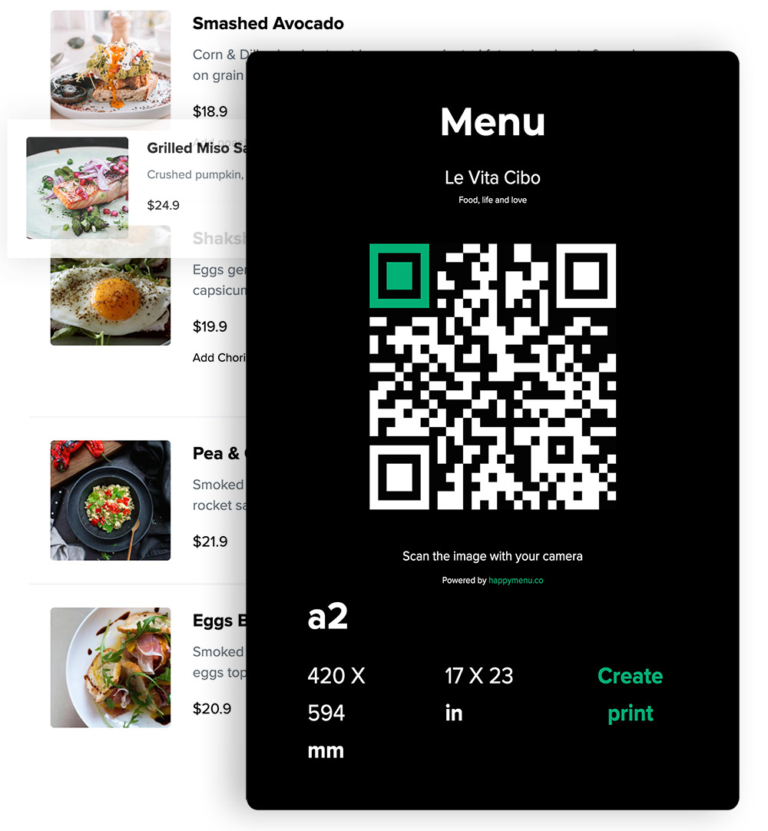
QR code menus can be incredibly useful for restaurants. They make menus easier to update, reduce printing costs, support direct ordering, and give customers quick access to the latest dishes, prices, specials, and dietary information.
But there is one big problem: many restaurants use QR menus in a way that frustrates customers.
A QR menu should make dining easier. It should not feel like homework. Customers should not have to download an app, pinch and zoom a PDF, create an account, fight with bad Wi-Fi, or scroll through a messy menu on a tiny screen just to decide what to eat.
The best QR menus are fast, simple, mobile-friendly, and optional. They help customers get the information they need quickly, while still respecting the fact that some people prefer a printed menu.
Here is how to use QR menus in a way that helps your restaurant without annoying your customers.
The Real Reason Customers Get Annoyed by QR Menus
Most customers do not hate QR codes. They hate bad QR menu experiences.
They get annoyed when the QR code opens a huge PDF that is hard to read on a phone. They get annoyed when the menu loads slowly. They get annoyed when the design was made for print, not mobile. They get annoyed when they have to enter personal details before seeing the food. They get annoyed when the online menu is outdated, confusing, or missing prices.
In other words, the QR code is not usually the problem. The problem is what happens after the customer scans it.
A QR code is just a doorway. If the doorway leads to a bad experience, customers blame the QR code. If it leads to a clean, fast, useful menu, customers usually accept it without thinking twice.
Rule 1: Never Make the QR Menu the Only Option
The easiest way to annoy customers is to force everyone to use a QR code.
Some guests love QR menus. Others dislike them. Some phones have low battery. Some people are dining with older family members. Some customers do not want to use their phone at the table. Some are trying to avoid screen time. Some may have accessibility needs that make scanning and browsing harder.
The best approach is not “QR menus instead of printed menus.” It is “QR menus plus printed menus.”
Keep a few printed menus available and make staff comfortable offering them without judgment. A simple line like “You can scan the QR code, or I can bring you a printed menu” makes a big difference.
This turns the QR menu into a convenience, not a barrier.
Rule 2: Do Not Use a PDF as Your Main QR Menu
A PDF might look good on a designer’s screen, but it often performs badly as a QR menu.
Most PDF menus were designed for paper, not phones. Customers often have to pinch, zoom, drag sideways, and search through tiny text. If the menu has multiple pages, small fonts, or decorative layouts, the mobile experience becomes even worse.
A QR menu should open a mobile-friendly online menu, not a static print file.
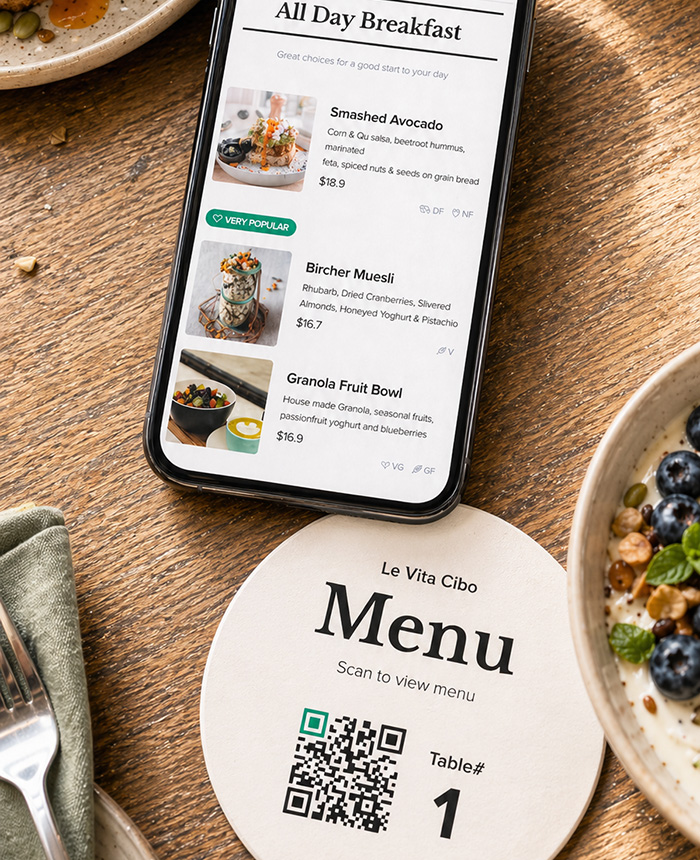
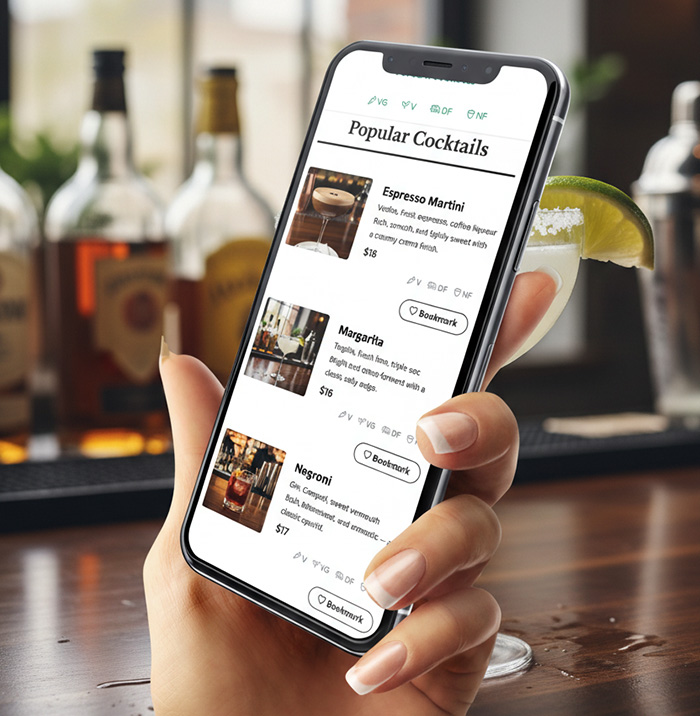
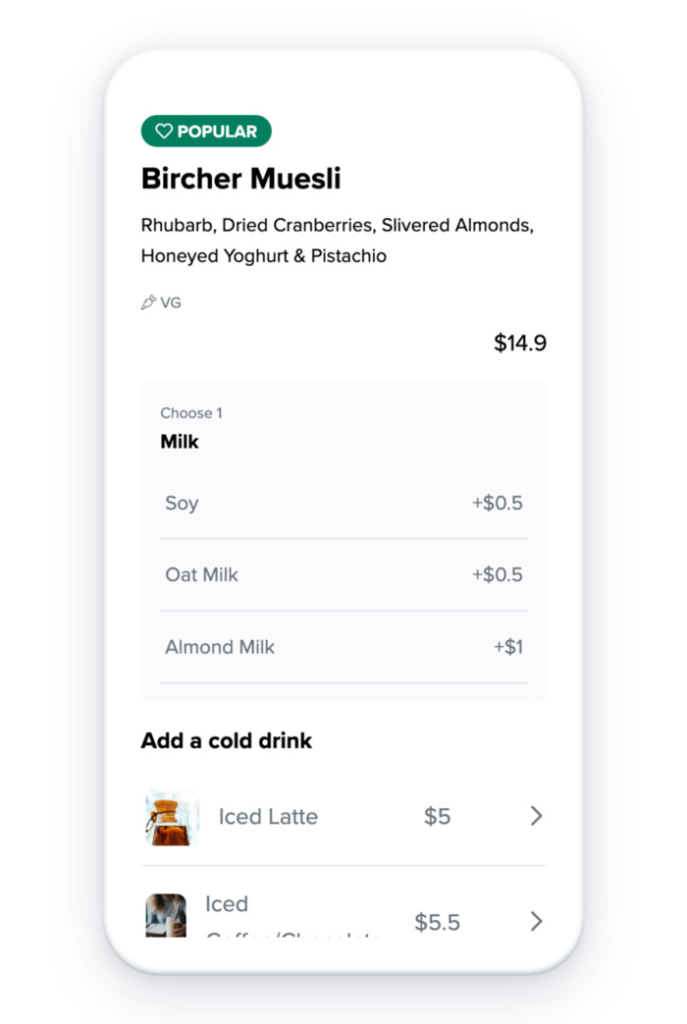
A good mobile menu should have readable text, clear categories, quick scrolling, item descriptions, prices, dietary labels, and easy navigation. Customers should be able to scan, read, choose, and order without fighting the page.
If you want to offer a downloadable PDF as a backup, that is fine. But the main QR code should lead to a proper online menu built for mobile phones.
Rule 3: Make the Menu Load Fast
Customers scan QR menus when they are hungry. They are not in the mood to wait.
If your menu takes too long to load, the experience immediately feels frustrating. This is especially true inside restaurants where mobile signal can be weak, Wi-Fi can be unreliable, and multiple customers may be trying to access the menu at the same time.
A fast QR menu should avoid oversized images, heavy files, unnecessary animations, and complicated pages. The menu should open quickly, show the main categories clearly, and let customers start browsing within seconds.
The faster the menu loads, the less customers notice the technology. That is the goal.
Rule 4: Put the Most Important Information First
Customers usually scan a menu with a few simple questions in mind:
- What do you serve?
- What looks good?
- How much does it cost?
- Can I eat this with my dietary needs?
- What are the popular items?
- How do I order?
Your QR menu should answer those questions quickly.
Do not bury your food under long welcome messages, popups, unnecessary brand story sections, or complicated navigation. A customer who scans a table QR code probably wants the menu first. Give it to them immediately.
Start with clear categories such as Starters, Burgers, Pizza, Pasta, Tacos, Drinks, Desserts, Lunch Specials, Kids Menu, or Happy Hour. Then make each item easy to read with a name, short description, and price.
If you have popular dishes, chef recommendations, best sellers, gluten-free options, vegetarian dishes, spicy items, or limited-time specials, make them easy to find.
Rule 5: Do Not Make Customers Create an Account to View the Menu
A customer should never have to sign up, log in, download an app, enter an email address, or provide a phone number just to see your menu.
That creates friction before the customer has even chosen what to eat.
There is a time and place for loyalty programs, SMS marketing, online ordering, and customer accounts. But the menu itself should be open and easy to access.
Let customers view the menu first. After that, you can invite them to order, join a loyalty list, claim an offer, or receive updates. The relationship should start with value, not a barrier.
Rule 6: Make the QR Code Easy to Scan
A QR menu can only work if customers can actually scan it.
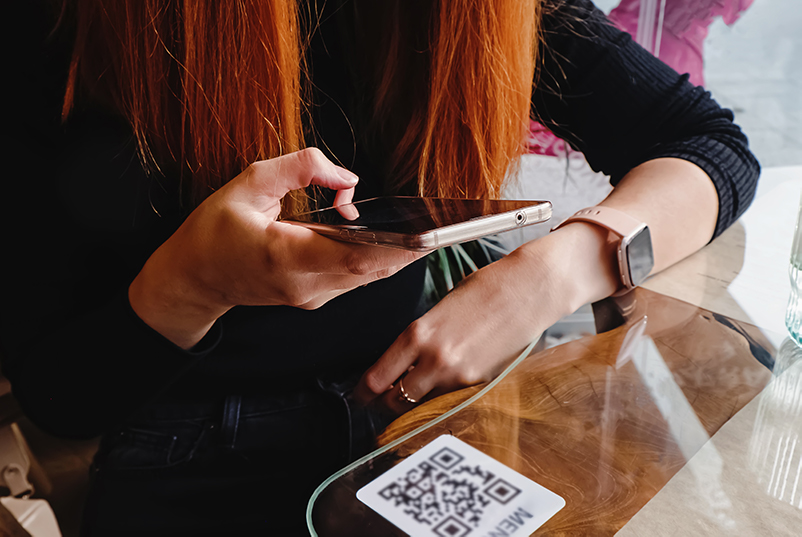
Make sure your QR codes are large enough, high contrast, cleanly printed, and placed where customers naturally look. Avoid tiny QR codes, low-contrast colors, glossy glare, curved surfaces, or codes placed too close to table edges where they get damaged.
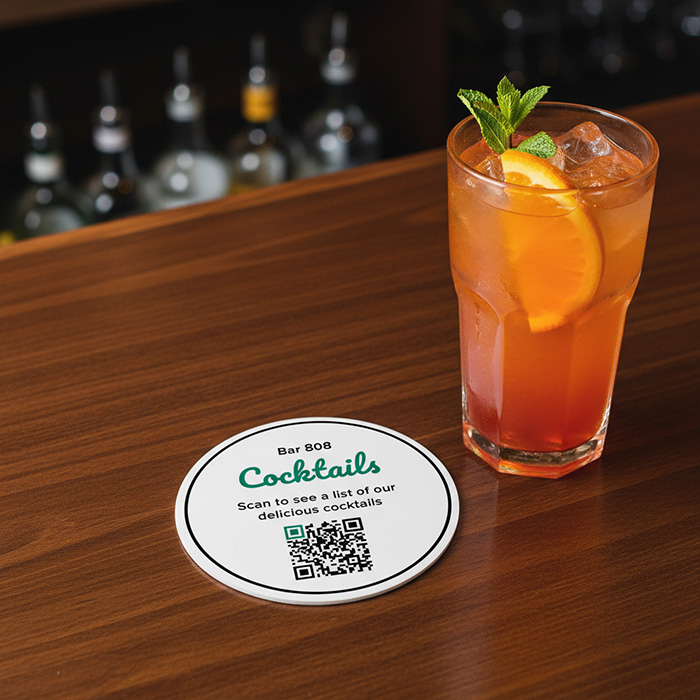
Good places for QR codes include table tents, small table cards, printed menus, check presenters, counter signs, takeout bags, receipts, windows, and flyers.
Always include a short instruction beside the code. Do not just display a random square and expect everyone to know what it does.
For example:
- Scan to view our menu
- Scan for today’s specials
- Scan to order takeout
- Scan for drinks, desserts, and specials
- Scan to view the latest menu
Clear wording reduces confusion and makes the QR code feel useful instead of intrusive.
Rule 7: Keep the Design Clean and Readable
A QR menu is not the place for tiny fonts, overly decorative layouts, or crowded pages.
Customers should be able to read the menu comfortably on a phone. That means good spacing, clear headings, readable font sizes, strong contrast, and simple category navigation.
The design should support the food, not compete with it.
Each menu item should be easy to scan. Long descriptions should be used carefully. If every item has a huge paragraph, customers may stop reading. A short, useful description is often better than a long one.
For example, instead of:
Our classic chicken sandwich is lovingly prepared using our signature house method and served with an assortment of delicious ingredients that create a flavor experience customers love.
Use something clearer:
Crispy chicken, slaw, pickles, and house sauce on a toasted brioche bun.
Customers choose faster when the menu is easy to understand.
Rule 8: Keep the Menu Accurate
An inaccurate QR menu is worse than no QR menu at all.
If customers scan your menu and see old prices, unavailable dishes, missing specials, wrong hours, or outdated ordering links, they lose trust. Staff also end up having awkward conversations at the table.
The biggest advantage of a QR menu is that it can be updated quickly. Use that advantage.
When a dish sells out, remove it or mark it unavailable. When prices change, update them immediately. When you add a seasonal item, add it to the menu before promoting it. When your happy hour changes, make sure the QR menu reflects the latest version.
A QR menu should be the most accurate version of your menu anywhere online.
Rule 9: Do Not Overload the Menu With Popups
Some restaurants accidentally turn their QR menu into a marketing obstacle course.
A customer scans the code and immediately gets a popup asking for an email address. Then a loyalty popup. Then a cookie banner. Then a delivery app prompt. Then a location selector. Then a login screen.
That is too much.
The menu should come first. Marketing should support the experience, not interrupt it.
If you want to collect customer details, do it at a more natural moment. For example, after the customer views the menu, after they place an order, or when they choose to join your loyalty program.
A good QR menu builds trust first. Then it asks for action.
Rule 10: Use QR Menus to Support Staff, Not Replace Hospitality
One reason some customers dislike QR menus is that they feel like the restaurant is using technology to remove service.
That is the wrong message.
A QR menu should help staff, not replace them. Servers should still greet guests, explain specials, answer questions, recommend dishes, and offer printed menus when needed.
The QR menu can reduce repetitive tasks, but it should not make the dining experience feel cold or self-service unless that is the style of the restaurant.
For full-service restaurants, the best approach is simple: let the QR menu handle information, and let the staff handle hospitality.
Rule 11: Make Ordering Optional and Obvious
Some restaurants use QR codes only for menu viewing. Others use them for ordering and payment. Both can work, but the experience must be clear.
If customers can order from the QR menu, make the ordering button obvious. If they cannot, do not make the menu look like an ordering app. Confusion creates frustration.
Use clear labels such as:
- View Menu
- Order Takeout
- Order at the Counter
- Ask Your Server to Order
- Call to Order
For dine-in restaurants, you may want the QR menu to show the food while the server still takes the order. For fast casual restaurants, cafes, and takeout shops, direct ordering may be more important.
The key is to make the next step clear.
Rule 12: Use QR Codes for More Than the Main Menu
QR menus are not just for replacing printed menus. They can also make specific parts of your restaurant experience easier.
You can use QR codes for:
- Daily specials
- Happy hour menus
- Wine lists
- Cocktail menus
- Dessert menus
- Allergen information
- Kids menus
- Takeout ordering
- Catering menus
- Private event menus
- Loyalty signup
- Customer feedback
This is where QR codes can be especially useful. Instead of printing a new insert every time a special changes, you can update the online version and keep the same QR code.
For example, a table card could say:
Scan for today’s specials, drinks, and desserts.
That feels more helpful than forcing every customer to scan just to see the basics.
Rule 13: Make the QR Menu Match Your Brand
A QR menu should not feel disconnected from the rest of your restaurant.
If your restaurant has a warm, rustic, premium, fun, modern, family-friendly, or casual brand, the online menu should reflect that. Use your logo, colors, typography, and tone so the menu feels like part of your restaurant, not a generic third-party page.
This is one of the problems with many basic QR menu tools. They work, but they look plain, generic, or outdated. Customers may not consciously notice, but design affects trust. A clean, branded menu makes the restaurant feel more professional.
Your QR menu should feel like your restaurant.
Rule 14: Test the QR Menu Like a Customer
Before putting QR codes on every table, test the full experience like a customer would.
Sit at a table. Scan the code. Use mobile data, not just the restaurant Wi-Fi. Open the menu on both iPhone and Android. Try it in bright light. Try it from different table positions. Check whether the code scans quickly. Check whether the page loads quickly. Check whether prices, categories, and ordering links are correct.
Then ask a few staff members or regular customers to try it too.
Good questions to ask:
- Was it easy to scan?
- Did the menu load quickly?
- Was the text easy to read?
- Could you find what you wanted?
- Was anything confusing?
- Would you still want a printed menu?
Small improvements can make a big difference.
Rule 15: Give Customers a Reason to Scan
QR menus work better when customers understand the benefit.
Instead of simply saying “Scan Menu,” tell customers what they will get.
For example:
- Scan for the latest menu and specials
- Scan to view photos, ingredients, and dietary options
- Scan to order takeout directly from us
- Scan for today’s happy hour menu
- Scan to join our loyalty list and get offers
This makes the QR code feel useful instead of lazy.
QR Menu Mistakes That Annoy Customers
If you want customers to like your QR menu, avoid these common mistakes:
- Forcing every customer to scan with no printed option
- Linking to a hard-to-read PDF
- Using tiny QR codes that are difficult to scan
- Making customers download an app
- Asking for an email or phone number before showing the menu
- Using a slow-loading menu page
- Showing outdated prices or unavailable items
- Making the menu hard to navigate on mobile
- Using low-contrast text or tiny fonts
- Adding too many popups
- Not making it clear whether customers can order from the menu
- Using a generic menu page that does not match the restaurant brand
What a Good QR Menu Should Do
A good QR menu should feel simple, fast, and useful.
It should help customers:
- View the menu instantly
- Find dishes quickly
- Understand prices clearly
- See dietary information
- Discover specials
- Order directly when available
- Trust that the menu is accurate
It should help restaurants:
- Update menus without reprinting constantly
- Reduce outdated menu mistakes
- Promote specials quickly
- Sell takeout directly
- Build customer relationships
- Keep branding consistent online and in print
- Give customers a better menu experience
When done properly, a QR menu is not just a digital version of your paper menu. It is a better, more flexible menu system.
How Happy Menu Helps Restaurants Do QR Menus Properly
Happy Menu helps restaurants create QR menus that are designed for real customers, not just technology for the sake of technology.
Your menu is structured into categories, items, prices, descriptions, and dietary tags, so it is easier to update and easier for customers to read. Instead of linking your QR code to a static PDF, Happy Menu gives you a mobile-friendly online menu that works beautifully on phones.
You can use the same menu system for your online menu, table QR codes, print-ready menus, website, and direct ordering links. Update your menu once, and keep everything consistent.
That means fewer outdated menus, fewer messy files, fewer printing headaches, and a better experience for customers.
QR menus should not annoy customers. They should help them choose faster, order with confidence, and enjoy their meal.
The Best QR Menu Strategy: Digital Convenience Plus Human Hospitality
The best restaurants do not treat QR menus as a replacement for service. They use them as a tool to make the experience smoother.
A great QR menu gives customers fast access to accurate information. Great staff still provide warmth, recommendations, and personal service.
That combination works well because it respects different customer preferences. People who like QR menus can scan and browse. People who prefer paper can ask for a printed menu. People with questions can talk to staff. Everyone gets a better experience.
That is how QR menus should work.
Final Thoughts
QR menus are not annoying when they are done properly. What annoys customers is bad execution: slow pages, unreadable PDFs, forced scanning, missing printed options, popups, outdated prices, and confusing ordering flows.
If your QR menu is fast, mobile-friendly, accurate, optional, and easy to read, it can improve the customer experience while helping your restaurant save time, reduce printing costs, promote specials, and sell more directly.
The goal is simple: make your menu easier to access, easier to update, and easier for customers to use.
Do that, and your QR menu will not feel like a frustration. It will feel like good service.
FAQ
Do customers hate QR menus?
Most customers do not hate QR menus themselves. They dislike poor QR menu experiences, such as slow pages, hard-to-read PDFs, forced app downloads, outdated prices, or having no printed menu option.
Should restaurants still offer printed menus?
Yes. QR menus work best when they are offered alongside printed menus. This gives customers choice and avoids frustrating people who prefer paper, have low phone battery, or do not want to use a phone at the table.
Is a PDF menu good for a QR code?
A PDF can work as a backup, but it is usually not the best main QR menu. PDFs are often hard to read on phones because customers have to pinch, zoom, and scroll sideways. A mobile-friendly online menu is usually much better.
Where should restaurants place QR codes?
Good places include table tents, printed menus, counter signs, check presenters, receipts, takeout bags, windows, flyers, and promotional cards. The QR code should be large, clear, high contrast, and placed somewhere customers can easily scan it.
What should a QR menu include?
A good QR menu should include clear categories, dish names, descriptions, prices, dietary labels, specials, photos if useful, and clear ordering instructions. It should load quickly and be easy to read on a phone.
Can QR menus help restaurants save money?
Yes. QR menus can reduce the need for constant reprinting, especially when prices, specials, seasonal dishes, or availability change often. Restaurants can still print menus when needed, but QR menus make updates much easier.
Can QR menus help with takeout orders?
Yes. A QR menu can link customers directly to your takeout ordering page, helping you sell directly from your own menu instead of relying only on third-party delivery apps.
How do you make a QR menu less annoying?
Make it fast, mobile-friendly, optional, and easy to read. Avoid PDF-only menus, app downloads, popups, tiny text, and forced signups before customers can see the menu.