
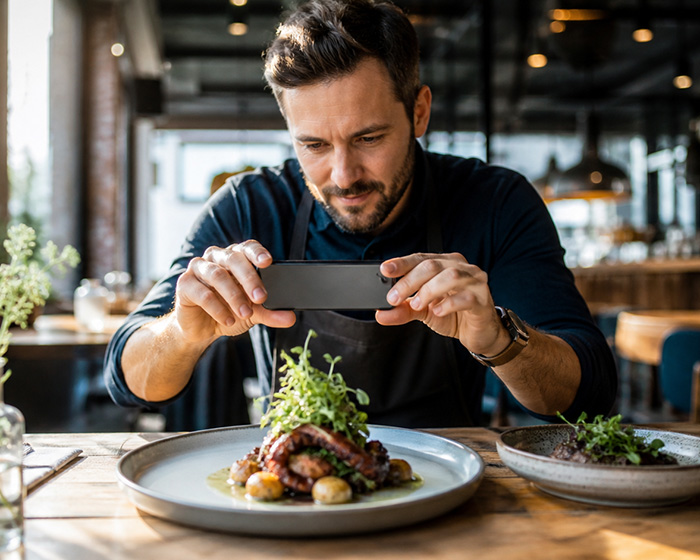
For restaurants, Google Business Profile is one of the most important digital marketing tools you have. It affects how your restaurant appears on Google Search and Google Maps when people search for places to eat, menus, directions, opening hours, reviews, online ordering, reservations, takeout, delivery, and local dining options.
If someone searches “best tacos near me,” “Italian restaurant open now,” “brunch near me,” “restaurant with online ordering,” or your restaurant name, your Google Business Profile may be one of the first things they see. Before they visit your website, call you, order online, or walk through the door, they may judge your restaurant from your photos, reviews, menu, hours, category, updates, and ordering links.
Google describes Business Profile as a free way for businesses to manage how they appear on Google Search and Maps. For restaurants, Google also has specific restaurant guidance covering core business information, food ordering, menu content, photos, videos, and customer engagement.
This guide is written for restaurant owners, operators, managers, and marketers who want practical, accurate advice for 2026. The goal is not just to “optimize a listing.” The goal is to help more customers find your restaurant, trust your restaurant, view the right menu, and take action.
Why Google Business Profile Matters So Much for Restaurants
Restaurant decisions are often urgent. A customer is hungry now. They are walking nearby. They are planning dinner tonight. They are comparing two restaurants before making a reservation. They are checking whether you are open, whether you serve the dish they want, whether your prices look reasonable, and whether your reviews make them feel confident.
Your Google Business Profile sits directly in that decision moment. It is not just an online directory listing. It is a conversion page inside Google.
A strong restaurant profile can help customers:
- Find your restaurant on Google Search and Maps.
- Check your hours before visiting.
- Open your menu.
- See photos of your food, dining room, bar, patio, and atmosphere.
- Read reviews.
- Call your restaurant.
- Get directions.
- Order online.
- Book a table.
- See updates, offers, events, and specials.
- Decide whether your restaurant is right for them.
A weak profile can do the opposite. It can send customers to a competitor because your menu is missing, your hours look wrong, your photos are old, your reviews are unanswered, your ordering link goes to the wrong provider, or your listing simply does not look active.
The Big Idea for 2026: Your Profile Must Help Customers Decide Faster
In 2026, restaurant marketing is not only about being visible. It is about being useful at the exact moment customers are deciding where to eat.
Your Google Business Profile should quickly answer these questions:
- What kind of restaurant is this?
- Is it open now?
- Is it close enough?
- Does the food look good?
- Can I see the menu?
- Can I order direct?
- Can I book?
- Is it good for families, groups, dates, lunch, takeout, or dinner?
- Do the reviews make me trust it?
- Does it feel current and well managed?
Every part of your profile should reduce friction. The easier you make the decision, the more likely customers are to choose you.
Step 1: Claim and Verify Your Restaurant Profile
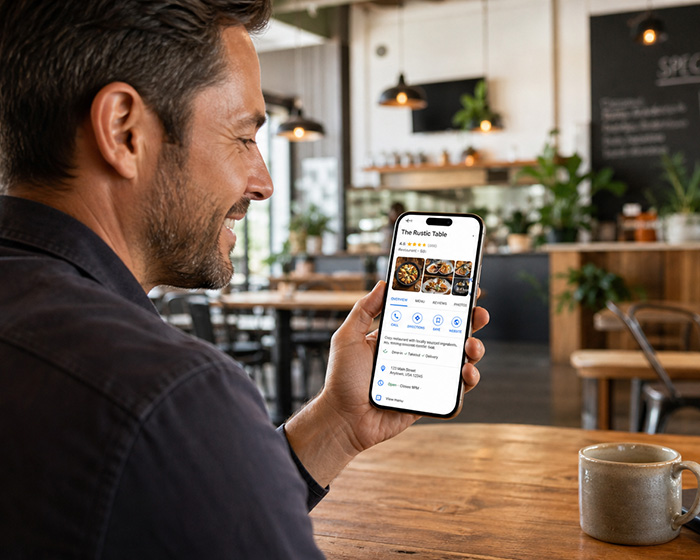
If you have not claimed your Google Business Profile, this is the first step. A claimed and verified profile gives you more control over your restaurant’s information, photos, menu, links, reviews, and updates.
Google’s restaurant setup guidance starts with adding or claiming the Business Profile, requesting ownership if the profile already exists, and verifying the business. Google also provides video verification guidance, where the owner uploads a video showing key information that helps confirm they manage or represent the business.
For restaurants, verification is especially important because incorrect information can cost you real customers. If your opening hours, phone number, website, ordering link, or address are wrong, people may leave bad reviews, show up when you are closed, or order from the wrong place.
Action steps
- Search for your restaurant name on Google.
- Check whether a Business Profile already exists.
- Claim it if you have not already done so.
- Request ownership if someone else controls it.
- Complete Google’s verification process.
- Add at least one trusted owner and one manager so access is not lost if an employee leaves.
- Use a business-controlled email account, not a random personal account.
Step 2: Choose the Right Primary Category
Your primary category helps Google understand what your business is. This matters because restaurant searches are category-driven. A customer may search for “pizza restaurant,” “coffee shop,” “barbecue restaurant,” “Thai restaurant,” “breakfast restaurant,” or “cocktail bar.”
Google tells businesses to choose a primary category that best describes the business, and to choose a specific category where possible. Google’s example is to choose a more specific category instead of a broad one where the specific option exists. You cannot create custom categories.
For a restaurant, this means you should not automatically choose the broadest category if a more accurate one exists. A ramen restaurant should not just think “Restaurant.” A bakery cafe should not ignore “Bakery” or “Cafe” if those categories better match the business. A bar that serves food may need a different category strategy from a family restaurant.
Examples of restaurant category thinking
- A pizza shop may use “Pizza restaurant” as the primary category.
- A sushi venue may use “Sushi restaurant.”
- A coffee-focused business may use “Coffee shop” or “Cafe.”
- A cocktail-led venue may use “Cocktail bar” or “Bar” if that is the main business.
- A Mexican restaurant may use “Mexican restaurant.”
- A food truck may use a category that reflects the format and cuisine where available.
Do not choose categories just because you want to rank for more things. Choose categories that honestly describe your restaurant. Misleading categories can create trust problems and may create profile issues.
Step 3: Make Your Basic Information Perfect
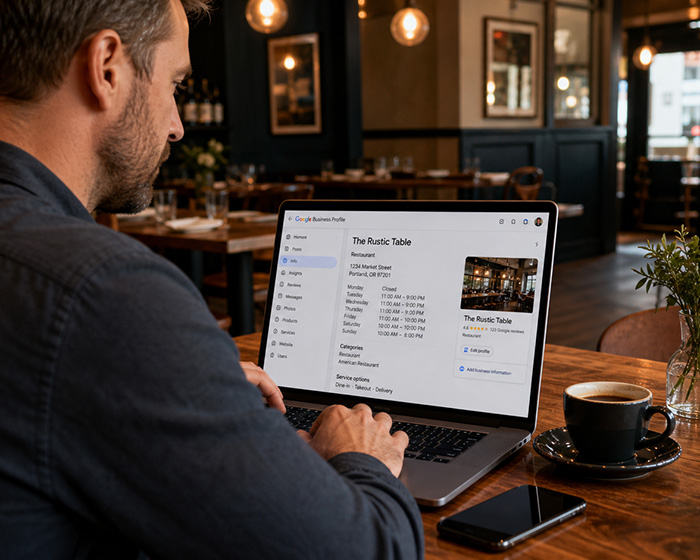
Your basic information needs to be accurate, complete, and consistent. This includes your restaurant name, address, phone number, website, hours, category, attributes, menu link, ordering link, and reservation link.
Google says complete and accurate business information helps customers know what you do, where you are, and when they can visit. Google also says local results are based primarily on relevance, distance, and prominence.
For restaurant owners, this is not theory. If your hours are wrong, customers may arrive to a locked door. If your phone number is wrong, they cannot call. If your website link is broken, they may assume your restaurant is disorganized. If your menu link is missing, they may choose another restaurant.
Information to check
- Restaurant name.
- Address.
- Phone number.
- Website URL.
- Online menu URL.
- Online ordering URL.
- Reservation URL.
- Primary category.
- Secondary categories.
- Opening hours.
- Holiday hours.
- Service options.
- Dining options.
- Accessibility details.
- Attributes such as outdoor seating, takeout, delivery, dine-in, family-friendly, or other available options.
Restaurants should review these details every month, and immediately before holidays, major events, weather disruptions, renovations, new menu launches, and seasonal changes.
Step 4: Do Not Keyword-Stuff Your Restaurant Name
Your Business Profile name should match your real-world restaurant name. Do not add extra keywords to your name just because you want to rank for them.
For example, if your restaurant is called “Milo’s,” do not change your profile name to “Milo’s Best Italian Pizza Pasta Restaurant Downtown Happy Hour.” That looks spammy, damages trust, and can create compliance problems.
Google’s business representation guidelines are designed to help businesses avoid common problems, including changes to business information or removal of business information from Google.
Use your real name. Use your description, categories, menu, photos, posts, website, and customer experience to communicate what you offer.
Step 5: Write a Clear Restaurant Description
Your restaurant description appears in the “From the business” section of your profile. It should explain what you are, what you serve, where you are, and why people should choose you.
Google’s Business Profile editing guidance says businesses can enter a brief business description for the “From the business” section.
A good restaurant description should be specific, honest, and customer-focused. Avoid stuffing it with every keyword you can think of. Instead, write something that helps a real customer understand your restaurant quickly.
Weak description
We are the best restaurant in town serving great food and drinks. Come visit us today.
Better description
Milo’s is a neighborhood Italian restaurant in downtown Austin serving wood-fired pizza, handmade pasta, seasonal salads, cocktails, and weekend brunch. Join us for dine-in, patio seating, takeout, or direct online ordering.
The better version tells customers the cuisine, location, experience, menu style, and available service options.
Step 6: Add and Maintain Your Restaurant Menu
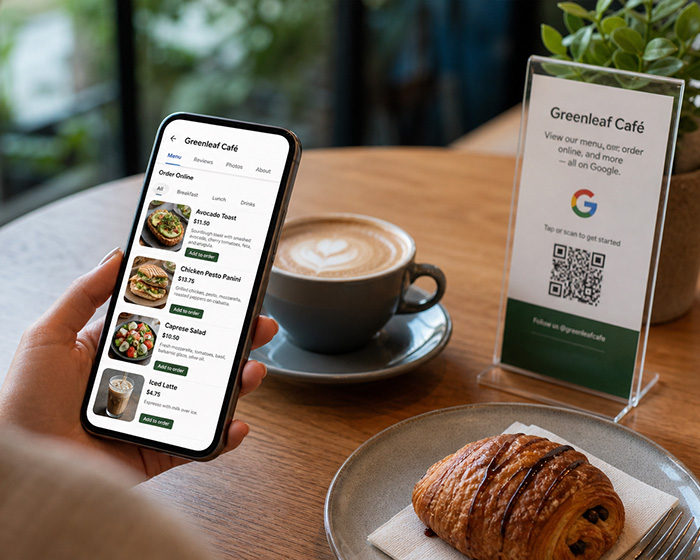
Your menu is one of the most important parts of your Google Business Profile. Many customers will not visit your website first. They will look for the menu directly from Google.
Google’s menu editor allows restaurants and food and drink businesses to list menu items on their Business Profile. Google says businesses can create menu sections, add items, descriptions, and prices, and upload menu photos or a PDF that contains the menu.
That means restaurants should treat menu accuracy as a local SEO priority. An outdated menu can create unhappy customers before they even visit. If the customer sees an old price, a discontinued dish, or a missing special, the experience starts with friction.
Menu information to include
- Menu sections such as breakfast, lunch, dinner, drinks, desserts, kids menu, brunch, happy hour, or catering.
- Item names.
- Item descriptions.
- Prices.
- Dietary details where appropriate.
- Popular dishes.
- Seasonal items.
- Photos of key menu items.
- A link to your full online menu.
If your restaurant changes prices, specials, ingredients, or dishes often, you need a system that makes menu updates easy. This is one reason Happy Menu focuses on one accurate menu everywhere. A restaurant can maintain a beautiful online menu, QR code menu, print menu, digital menu board, and ordering menu from the same structured menu data, instead of manually updating scattered PDFs, images, and static pages.
Step 7: Use a Real Online Menu, Not Just a PDF
A PDF menu is better than no menu, but it is not always the best customer experience. Many PDF menus are slow, hard to read on mobile, difficult to update, and poor at guiding customers toward ordering or booking.
For 2026, restaurants should strongly consider using a mobile-friendly online menu as their main menu destination. This gives customers a faster, cleaner, more useful experience from Google Search and Maps.
A strong online menu should be:
- Fast on mobile.
- Easy to read without pinching and zooming.
- Organized by category.
- Updated instantly when items or prices change.
- Connected to online ordering where appropriate.
- Connected to QR codes in the restaurant.
- Search-friendly.
- Visually attractive.
- Consistent with the restaurant’s brand.
If someone discovers your restaurant on Google, taps your menu, and immediately sees a clear, beautiful, mobile-friendly menu, you have removed one of the biggest barriers to choosing your restaurant.
Step 8: Set Up Online Ordering Correctly
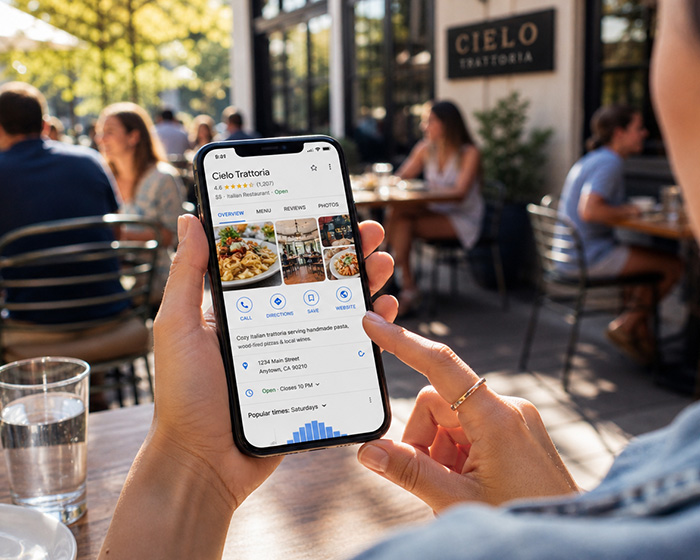
If your restaurant accepts online orders, your Google Business Profile should make ordering easy. Customers who search for you may be ready to order right now. Do not make them hunt through your website or call during service if they would rather order online.
Google’s food ordering guidance says restaurants can manage online ordering options from their Business Profile, choose providers or links, add a link, and set a preferred provider for pickup or delivery.
This is important because restaurants often have multiple ordering paths: direct ordering, third-party delivery apps, pickup links, delivery links, catering forms, and reservation systems. If you do not manage those links, customers may end up ordering from the wrong provider or paying unnecessary fees.
Action steps
- Check every ordering link on your Google Business Profile.
- Remove broken or outdated links.
- Add your preferred direct ordering link where possible.
- Set preferred options for pickup and delivery where available.
- Test the ordering flow on a phone.
- Check that prices, menu items, modifiers, taxes, fees, and pickup times are accurate.
- Make sure customers receive clear confirmation after ordering.
If your goal is to win more direct orders, your Google Business Profile should not push customers away from your own ordering system unless you intentionally choose that strategy.
Step 9: Add Reservation and Booking Links
If your restaurant accepts reservations, make booking simple. Customers who are ready to reserve should not have to search your website, call the host stand, or message you on social media.
Add the correct reservation link to your profile if available for your restaurant. Then test it like a customer. Does it open quickly? Does it show accurate times? Does it work on mobile? Does it clearly confirm the booking?
For restaurants with private dining, events, catering, or large groups, you may also want to send customers to a dedicated inquiry form instead of a generic contact page.
Step 10: Upload Better Photos and Videos
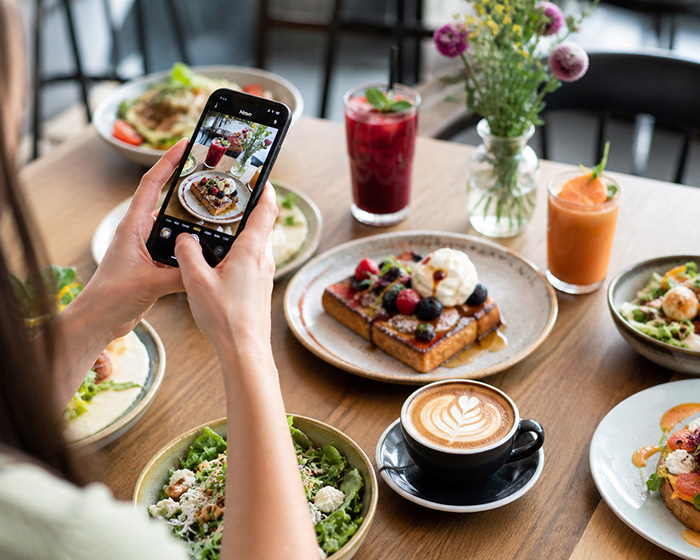
Photos sell the restaurant experience before a customer reads a word. For restaurants, photos may be the difference between “that looks good” and “let’s go somewhere else.”
Google lets businesses add photos and videos to their Business Profile, including cover photos and logos. Google also says business-specific photos can help your business stand out and should spotlight features customers use when deciding whether to buy or visit.
For restaurants, that means your photo strategy should not be random. You need photos that answer customer questions and create desire.
Photos every restaurant should add
- Exterior photo during the day.
- Exterior photo at night if you open for dinner.
- Entrance photo so customers can recognize the location.
- Dining room photo.
- Bar photo if relevant.
- Patio or outdoor seating photo.
- Signature dishes.
- Best-selling dishes.
- Drinks and cocktails.
- Desserts.
- Happy hour items.
- Brunch spread if you serve brunch.
- Private dining or event space.
- Staff or chef photos.
- Takeout packaging if takeout is important.
- QR code menu or table ordering setup if relevant.
Your photos should be bright, current, and honest. Do not use heavily misleading images. Do not show dishes you no longer serve. Do not let old customer-uploaded photos define your restaurant if they no longer reflect your brand.
Step 11: Control Your First Impression With a Strong Cover Photo
Your cover photo should tell customers what kind of experience they can expect. A logo alone usually does not do enough. Your logo helps with recognition, but your cover photo should make people want to eat.
Good restaurant cover photo options include:
- A table full of your most popular dishes.
- Your best-selling burger, pizza, pasta, sushi, tacos, or brunch item.
- Your dining room full of atmosphere.
- Your patio on a sunny day.
- Your bar at night.
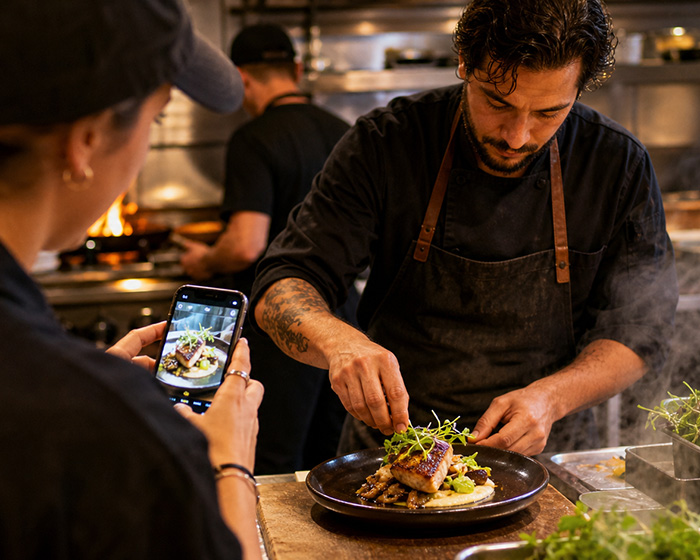
- Your chef plating a signature dish.
- A beautiful cocktail lineup.
Choose a photo that communicates your restaurant quickly. A customer should understand the vibe before reading your description.
Step 12: Use Google Posts for Updates, Offers, and Events
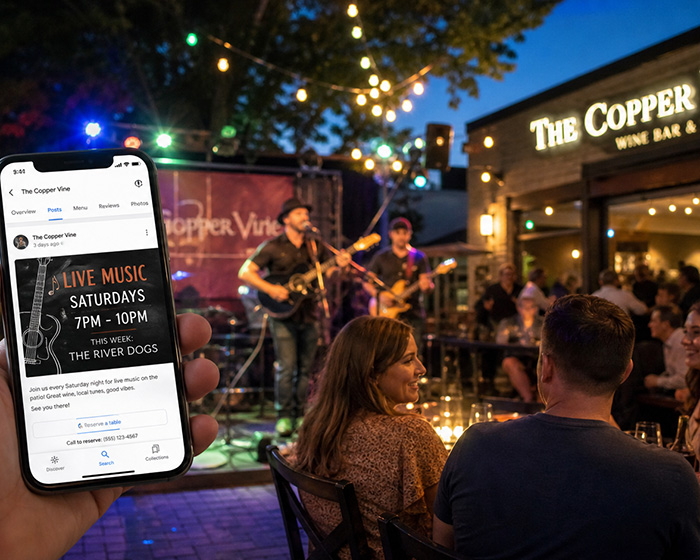
Many restaurant owners ignore Google Posts, but they are useful because they let you add updates directly to your Business Profile. Google says businesses can use posts to share announcements, offers, updates, and event details with customers on Search and Maps.
For restaurants, posts are ideal for timely information. They can help customers choose you today, this week, or this weekend.
Post ideas for restaurants
- New menu item.
- Weekend brunch.
- Happy hour.
- Live music.
- Trivia night.
- Chef special.
- Seasonal menu.
- Holiday opening hours.
- Mother’s Day or Father’s Day bookings.
- Valentine’s Day dinner.
- Super Bowl specials.
- Catering availability.
- Patio opening.
- New online ordering option.
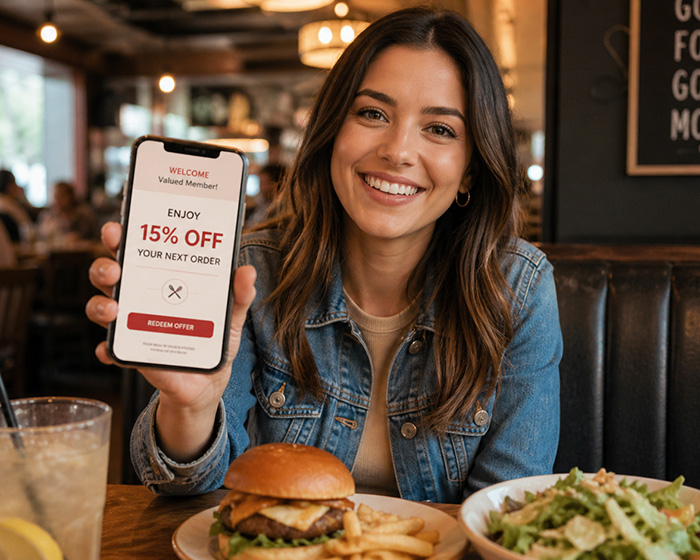
- Loyalty offer.
Some restaurants and bars may also see Google features that surface timely events, deals, and specials more prominently, such as “What’s happening,” but availability can vary by country, business type, and profile. The safe strategy is to keep using Google Posts consistently for current offers and events.
Step 13: Add Social Media Links
Your Google Business Profile can also include social media links. Google says businesses can add one link per social media platform, such as one Facebook link and one YouTube link.
For restaurants, this matters because customers often want to see your current activity. Your website may show the formal version of your business, but your social media often shows the daily reality: specials, events, atmosphere, behind-the-scenes clips, and fresh food photos.
Add the social profiles that you actually maintain. Do not link to dead accounts that have not been updated in years. A neglected social profile can make your restaurant look inactive.
Step 14: Reply to Reviews Like a Professional
Reviews are one of the most powerful parts of your Google Business Profile. They influence trust, decision-making, and local visibility. Restaurant owners should treat review management as part of daily operations, not as an occasional marketing chore.
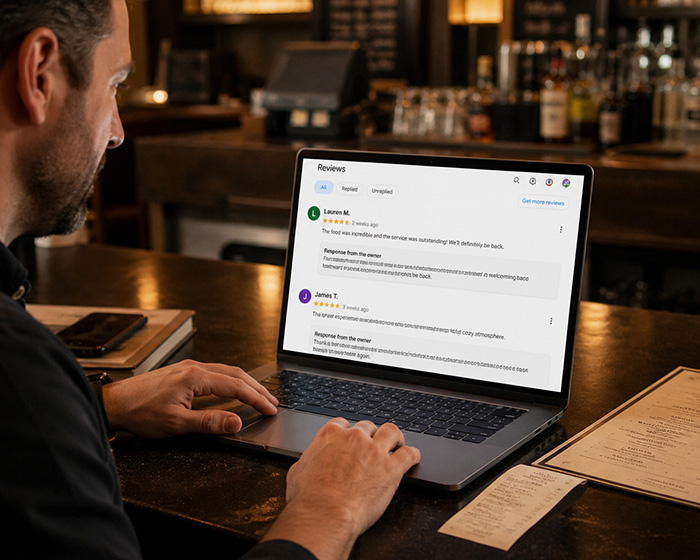
Google lets profile owners read and reply to reviews from their Business Profile. Google also recommends professional, polite, clear, helpful, short, and honest replies.
Every review reply is public. You are not only replying to the reviewer. You are also showing future customers how your restaurant handles praise, criticism, complaints, and feedback.
How to reply to positive reviews
Thank the customer, mention something specific, and invite them back.
Thank you for visiting us, Sarah. We are so glad you enjoyed the handmade pasta and cocktails. We appreciate the kind words and hope to see you again soon.
How to reply to negative reviews
Stay calm. Do not argue. Acknowledge the issue, apologize where appropriate, and invite the customer to continue the conversation privately.
Thank you for letting us know. We are sorry your visit did not meet expectations. This is not the experience we want for our guests. Please contact us directly so we can learn more and make this right.
Do not reveal personal details. Do not attack the reviewer. Do not write a defensive essay. The goal is to show future customers that you care and that you handle problems professionally.
Step 15: Ask for Reviews Without Breaking Trust
Restaurants need a steady stream of recent, real reviews. A profile with reviews from last month usually feels more alive than a profile with reviews from three years ago.
Ask happy customers for reviews in a natural way. Train staff to recognize good moments: a customer compliments the food, thanks the server, says they will be back, or mentions that they loved the experience.
Simple language works best:
We are so glad you enjoyed everything. If you have a moment later, a Google review really helps our small restaurant.
You can also add a review reminder to receipts, table cards, loyalty emails, SMS follow-ups, QR code cards, and post-visit messages. Keep it simple. Do not pressure people. Do not offer rewards in exchange for positive reviews. Do not ask staff or fake accounts to leave reviews.
Step 16: Report Reviews Only When They Violate Policy
Not every negative review can be removed. If someone had a bad experience and describes it honestly, the better response is usually a calm owner reply and an internal fix.
However, if a review violates Google’s policies, you can report it. Google provides tools to report inappropriate reviews and to manage review removals and review status.
Examples of reviews that may be worth reporting include spam, fake reviews, conflicts of interest, harassment, hate speech, or reviews clearly unrelated to your restaurant. Keep records if you believe a review is fake or malicious.
Step 17: Check for Google Updates to Your Profile
One mistake restaurant owners make is assuming their profile only changes when they change it. Google may update your Business Profile based on information from different sources. Google says these updates can show on Maps, Search, and other Google services, and that you cannot manage all Google updates through your Business Profile.
That means your profile needs regular monitoring. Customers, third-party sources, public data, and Google’s own systems may influence what appears. If your hours, menu, website, or attributes change unexpectedly, you need to catch it quickly.
Monthly profile audit
- Search your restaurant name on Google.
- Open the profile as a customer would.
- Check your hours.
- Check your phone number.
- Check your website link.
- Check your menu link.
- Check your ordering link.
- Check your reservation link.
- Check your photos.
- Check your reviews.
- Check customer questions and answers if visible.
- Check whether any details look changed or outdated.
This should take less than 15 minutes, but it can prevent lost sales.
Step 18: Use Attributes to Help Customers Choose
Attributes help customers understand what your restaurant offers. Depending on your business category and location, attributes may cover service options, dining options, accessibility, payments, atmosphere, ownership, amenities, and more.
For restaurants, attributes can help answer practical questions before customers call. Do you offer takeout? Delivery? Outdoor seating? Dine-in? Curbside pickup? Wheelchair-accessible entrance? Family-friendly dining? These details can influence where customers choose to eat.
Google’s restaurant guidance specifically points restaurant owners toward managing profile attributes as part of restaurant profile setup and management.
Do not ignore attributes. They are small details, but they help match your restaurant to customer needs.
Step 19: Use Your Website to Support Your Google Profile
Your Google Business Profile and restaurant website should support each other. Your profile helps customers discover you. Your website should help them decide and take action.
Your website should include:
- Restaurant name.
- Address.
- Phone number.
- Opening hours.
- Online menu.
- Online ordering.
- Reservation link.
- Photos.
- About page.
- Location page.
- Specials or events.
- Customer loyalty signup.
Make sure the information on your website matches the information on your Google Business Profile. If Google shows one set of hours and your website shows another, customers get confused.
For Happy Menu restaurants, this is where a structured online menu can become a major advantage. Instead of relying on a static PDF or old menu image, restaurants can send Google customers to a fast, mobile-friendly menu that can support ordering, table QR codes, loyalty, print menus, and digital menu boards.
Step 20: Track Performance, Not Just Impressions
Google Business Profile performance data can help you understand how customers interact with your profile. Google says owners and managers can check profile views, clicks, and other customer interactions, and can set date ranges to track performance over time.
Restaurant owners should review performance monthly. Do not only ask, “How many people saw us?” Ask, “What did people do after they saw us?”
Important metrics to watch
- Profile views.
- Searches that triggered your profile.
- Website clicks.
- Calls.
- Direction requests.
- Menu clicks.
- Ordering clicks.
- Booking clicks.
- Photo views.
- Review activity.
- Post engagement.
If views are high but website clicks are low, your profile may not be compelling enough. If menu clicks are high but online orders are low, your menu or ordering flow may need improvement. If calls increase but staff miss them during service, you may need better phone handling or online ordering.
Step 21: Use UTM Tracking on Important Links
If you are serious about measuring results, add UTM tracking to key links from your Google Business Profile. This can help you understand how much traffic and revenue comes from Google Business Profile versus other channels.
You can use UTM tracking for:
- Website link.
- Menu link.
- Ordering link.
- Reservation link.
- Catering inquiry link.
- Private events link.
- Loyalty signup link.
For example, your menu link might include campaign tracking that identifies Google Business Profile as the source. This helps you compare traffic from Google, Facebook, Instagram, email, SMS, and ads.
Step 22: Optimize for “Near Me” Without Saying “Near Me” Everywhere
Restaurant owners often ask how to rank for “near me” searches. The answer is not to stuff “near me” all over your profile. Google’s local ranking factors focus on relevance, distance, and prominence.
Your job is to make your restaurant highly relevant, clearly located, and prominent enough to be trusted.
That means:
- Choose the right category.
- Use accurate address information.
- Add complete hours.
- Add a detailed menu.
- Use strong photos.
- Collect real reviews.
- Reply to reviews.
- Keep your website consistent.
- Post current updates.
- Make your restaurant look active and trustworthy.
You do not need to write “best pizza near me” in your business name or description. You need to create a complete, accurate, useful, and trusted profile that helps Google and customers understand what you offer.
Step 23: Build Profile Content Around Real Customer Searches
Customers search for restaurants based on cuisine, location, meal occasion, service type, price expectations, dietary needs, and atmosphere. Your profile and website should reflect those decision points.
Examples of customer-driven search intent include:
- “Mexican restaurant near me.”
- “Brunch open now.”
- “Cocktail bar downtown.”
- “Family restaurant near me.”
- “Pizza delivery.”
- “Restaurant with outdoor seating.”
- “Best lunch near me.”
- “Vegan options near me.”
- “Restaurant for groups.”
- “Happy hour near me.”
- “Restaurant with live music.”
You should not force every phrase into your profile. Instead, make sure your categories, menu, photos, posts, website, attributes, and reviews naturally support the searches that matter to your restaurant.
Step 24: Make Specials and Events Easy to Find
If your restaurant has specials, events, live music, trivia, brunch, happy hour, seasonal dishes, holiday menus, or limited-time offers, Google Business Profile can help surface that information.
Use Google Posts for time-sensitive updates. Add events when relevant. Keep your website updated with an events or specials page if those are important to your business. Then use social media and your Google profile together so customers see a consistent message.
A restaurant should not promote a special on Instagram but leave Google customers unaware. Many high-intent customers are not scrolling your feed. They are searching on Google.
Step 25: Keep Holiday Hours Accurate
Holiday hours are a simple detail that can prevent bad customer experiences. If your restaurant is closed on Thanksgiving, open late on Christmas Eve, running a special New Year’s Eve seating, or opening early for Mother’s Day brunch, update your profile.
Restaurant owners should review holiday hours before:
- New Year’s Day.
- Valentine’s Day.
- Easter.
- Mother’s Day.
- Memorial Day.
- Father’s Day.
- July 4th.
- Labor Day.
- Halloween.
- Thanksgiving.
- Christmas Eve.
- Christmas Day.
- New Year’s Eve.
- Local festivals and major events.
If customers are likely to wonder whether you are open, update your hours and post an update.
Step 26: Prepare for Customer Questions
Customers may use your profile to ask or answer questions. Restaurant owners should monitor this area where available because incorrect answers can influence future guests.
Common restaurant questions include:
- Do you take reservations?
- Do you have gluten-free options?
- Do you have vegan options?
- Is the patio open?
- Are dogs allowed outside?
- Do you have parking?
- Do you offer takeout?
- Do you deliver?
- Do you have high chairs?
- Can you handle large groups?
- Is there live music?
- Do you serve brunch?
Answer common questions clearly on your website, menu, posts, and profile attributes where possible. The more answers customers can find themselves, the fewer calls your staff have to handle during service.
Step 27: Avoid Duplicate Profiles
Duplicate profiles can confuse customers and search engines. A restaurant may accidentally end up with multiple profiles after a move, ownership change, rebrand, old listing, or third-party data issue.
Search your restaurant name, old names, address, and phone number. If you find duplicates, resolve them instead of ignoring them. Duplicate listings can split reviews, display old information, and send customers to the wrong place.
Step 28: Create a Monthly Google Business Profile Routine
The best restaurant profiles are maintained consistently. You do not need to spend hours every day, but you do need a routine.
Weekly routine
- Reply to new reviews.
- Check new photos from customers.
- Add one new food, drink, team, or atmosphere photo.
- Post one update, special, offer, or event if relevant.
- Check messages or customer questions if enabled.
Monthly routine
- Review profile performance.
- Check menu accuracy.
- Check ordering links.
- Check booking links.
- Review business hours.
- Review holiday hours.
- Update photos.
- Review attributes.
- Check for Google updates.
- Compare your profile to local competitors.
Quarterly routine
- Refresh your cover photo.
- Audit your restaurant description.
- Review categories.
- Review your online menu structure.
- Review your direct ordering performance.
- Refresh professional food photos if needed.
- Look for new features available to your profile.
30-Day Google Business Profile Action Plan for Restaurants
If your restaurant profile has been neglected, use this 30-day plan.
Days 1–3: Fix the foundation
- Claim and verify the profile.
- Confirm owner and manager access.
- Check restaurant name, address, phone, website, and category.
- Update opening hours and holiday hours.
- Remove outdated links.
Days 4–7: Fix the menu and ordering flow
- Add or update menu sections.
- Add current dishes, prices, and descriptions.
- Add your online menu link.
- Check food ordering options.
- Set your preferred ordering provider where available.
- Test your menu and ordering flow on a phone.
Days 8–14: Improve visuals
- Add a strong cover photo.
- Add your logo.
- Add exterior photos.
- Add interior photos.
- Add food and drink photos.
- Add patio, bar, or event space photos if relevant.
- Remove outdated owner-uploaded images where appropriate.
Days 15–21: Build trust
- Reply to recent reviews.
- Create a review request process.
- Train staff to ask happy customers for reviews naturally.
- Report clearly inappropriate reviews if needed.
- Answer common customer questions.
Days 22–30: Start using the profile as a marketing channel
- Create one post for a special or event.
- Add social media links.
- Add UTM tracking to important links.
- Review performance data.
- Compare profile views, calls, direction requests, menu clicks, and ordering clicks.
- Set a monthly reminder to audit the profile.
Common Google Business Profile Mistakes Restaurants Should Avoid
- Using the wrong primary category.
- Keyword-stuffing the restaurant name.
- Leaving old opening hours online.
- Forgetting holiday hours.
- Using an outdated PDF menu.
- Not adding menu prices.
- Letting third-party ordering links outrank direct ordering links unintentionally.
- Ignoring reviews.
- Only replying to bad reviews.
- Using old, dark, or unappetizing food photos.
- Not adding exterior photos.
- Not using Google Posts for events and specials.
- Linking to inactive social accounts.
- Not checking for Google updates.
- Not tracking menu clicks, calls, directions, bookings, and orders.
The Best Google Business Profile Strategy for Restaurants in 2026
The best strategy is simple: be accurate, be useful, be visual, be active, and make the next step easy.
Your profile should show the right hours, the right location, the right menu, the right ordering link, the right reservation link, and the right photos. It should make your restaurant look alive today, not abandoned years ago.
Restaurant owners often think of Google Business Profile as something they set up once. In 2026, that mindset is outdated. Your profile is part of your restaurant’s daily sales path. It should be reviewed, updated, measured, and improved like any other important marketing channel.
If your menu changes, update it. If your hours change, update them. If you launch a special, post it. If customers leave reviews, reply. If you offer direct ordering, make it easy. If your food looks better than your photos, replace the photos.
The restaurant that wins on Google is not always the restaurant with the fanciest website or the biggest ad budget. Often, it is the restaurant that gives customers the clearest, most accurate, most appetizing, and most useful information at the moment they are ready to choose.
FAQ
Is Google Business Profile free for restaurants?
Yes. Google describes Business Profile as a free way for businesses to stand out on Google Search and Maps. Restaurants can use it to manage business information, photos, offers, posts, menu content, and more.
What is the most important part of a restaurant Google Business Profile?
The most important parts are accurate business information, correct hours, the right category, strong photos, a current menu, ordering or booking links, and recent reviews. These are the details customers use when deciding whether to visit, order, or book.
Should restaurants add their menu to Google Business Profile?
Yes. Restaurants should add and maintain menu content because customers often look for the menu directly on Google. Google’s menu editor allows food and drink businesses to list menu items, sections, descriptions, and prices.
Is a PDF menu enough?
A PDF menu is better than having no menu, but a mobile-friendly online menu is usually a better experience. A structured online menu can be easier to read, easier to update, and easier to connect with ordering, QR codes, loyalty, print menus, and digital menu boards.
How often should restaurants update their Google Business Profile?
Restaurants should check their profile weekly for reviews and customer-facing issues, and monthly for menu accuracy, hours, photos, links, attributes, and performance. Update the profile immediately whenever hours, menu items, prices, ordering links, or holiday schedules change.
Do reviews help restaurants on Google?
Reviews help customers trust a restaurant and can support local visibility. Google also identifies prominence as one of the main local ranking factors, and review count and review score are part of how Google describes local ranking.
Should restaurants reply to every Google review?
Restaurants should try to reply to as many meaningful reviews as possible, especially recent reviews and negative reviews. Replies should be professional, polite, helpful, and concise.
Can restaurants add online ordering to Google Business Profile?
Yes, eligible restaurants can manage food ordering options in their Business Profile, add provider links, and set preferred pickup or delivery options where available.
What photos should restaurants upload to Google Business Profile?
Restaurants should upload current photos of the exterior, entrance, dining room, bar, patio, signature dishes, drinks, desserts, staff, and atmosphere. Google says business-specific photos can help businesses stand out and spotlight features customers use when deciding what to buy or where to visit.
What should restaurants post on Google Business Profile?
Restaurants should post timely updates such as specials, events, new dishes, happy hour, live music, holiday hours, patio openings, online ordering updates, catering announcements, and loyalty offers. Google says posts can be used to share announcements, offers, updates, and event details on Search and Maps.
Final Thoughts
Google Business Profile is not just a technical SEO task. For restaurants, it is one of the most important parts of the customer journey.
A hungry customer may discover you, compare you, trust you, view your menu, get directions, place an order, or book a table without ever leaving Google. That is why your profile needs to be accurate, attractive, complete, and actively managed.
In 2026, the restaurants that win local attention will be the ones that make decisions easy. Show the food clearly. Keep the menu accurate. Make ordering simple. Reply to reviews. Post current updates. Track performance. Keep improving.
Your Google Business Profile should help customers answer one simple question: “Is this the restaurant I should choose right now?”